iPad users enhance productivity by using Sidecar as second screen
iPad owners can use Apple's Sidecar feature or third-party apps to turn their device into a second screen for Mac and Windows PCs, enhancing productivity for remote and hybrid work. This capability a…
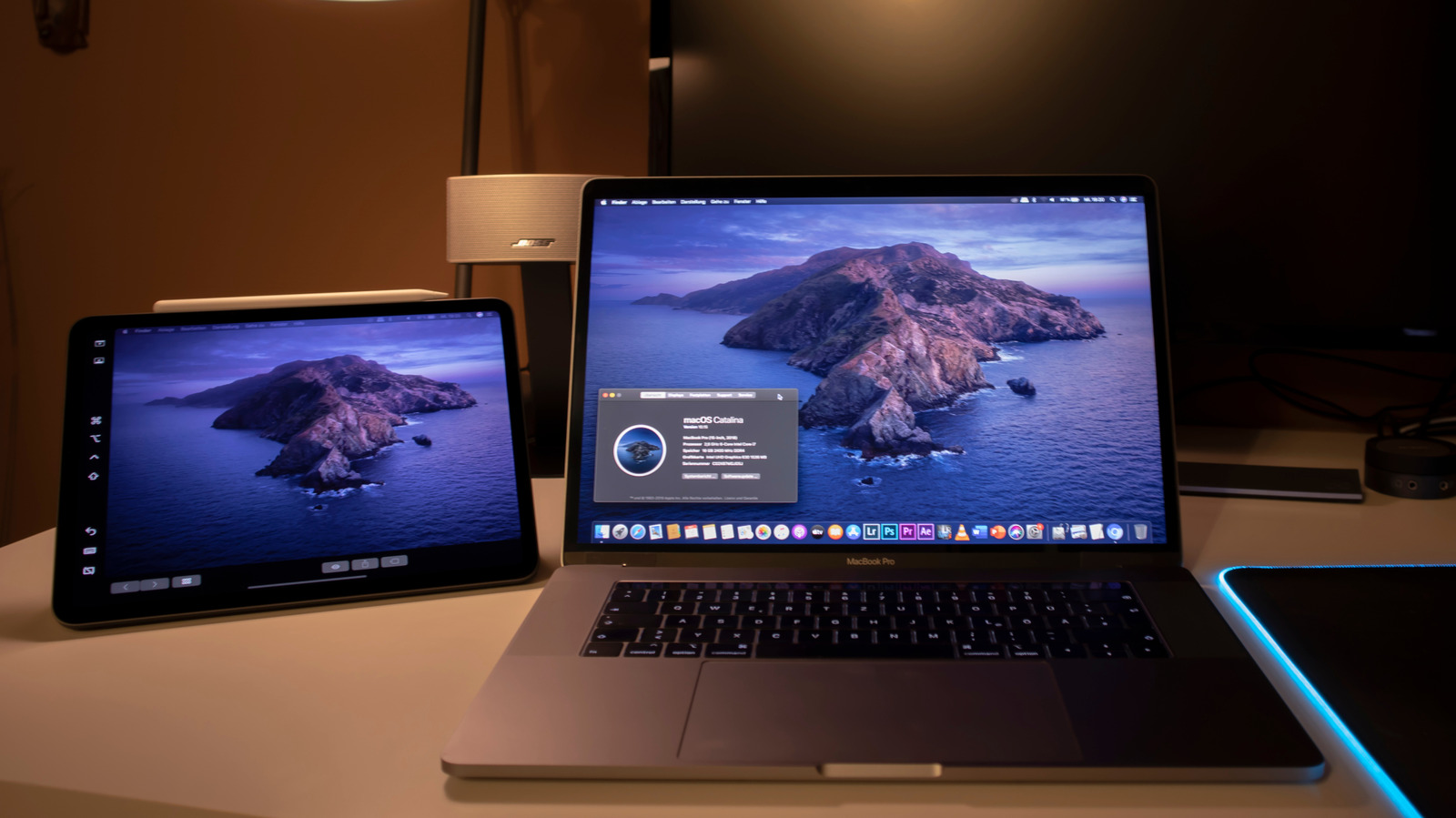
Apple’s Sidecar feature and a handful of third‑party apps now let iPad owners turn the tablet into a full‑size second display for both macOS and Windows laptops, giving mobile workers extra screen real‑estate without hauling a separate monitor. The capability works whether you’re at a coffee shop, on a train or in a hotel room, and it can be activated in a few clicks from the Mac’s Control Center or by installing a small Windows client.
The push to use an iPad as a monitor comes as remote work and hybrid offices make portable productivity tools more valuable. While the iPad was never built as a conventional external screen, its high‑resolution Retina display and built‑in Apple Pencil support make it an attractive substitute for a traditional monitor when space and weight are at a premium. Apple’s own solution, Sidecar, leverages the existing iCloud link between devices, while independent developers have filled the gap for Windows users who can’t access Apple’s native tools.
Sidecar requires a Mac running macOS Catalina or later and an iPad that supports the feature, both signed into the same iCloud account with two‑factor authentication enabled. Once those conditions are met, users open Control Center, select Screen Mirroring, and choose the iPad; the tablet then behaves like any external monitor, with adjustable resolution and placement in System Settings. Universal Control offers a related workflow, letting a single keyboard and mouse move seamlessly between Mac and iPad, even allowing drag‑and‑drop of files. For Windows machines, apps such as Duet Display and Luna Display provide similar functionality. Duet Display costs a one‑time license and runs on both platforms, while Luna Display uses a tiny dongle that plugs into the computer to handle the wireless video stream, supporting both macOS and Windows.
The ability to repurpose an iPad as a secondary screen expands the device’s utility and may influence future hardware design, as manufacturers consider built‑in support for cross‑device displays. As more professionals adopt flexible workstations, the demand for inexpensive, portable extensions like these is likely to grow, prompting Apple and third‑party developers to refine performance, latency and battery‑life handling in upcoming updates.
Read Full Story at Engadget →