Email Setup Checker (SPF, DKIM, DMARC, MX)
Test your domain's email authentication and get a score with fixes · free, no signup
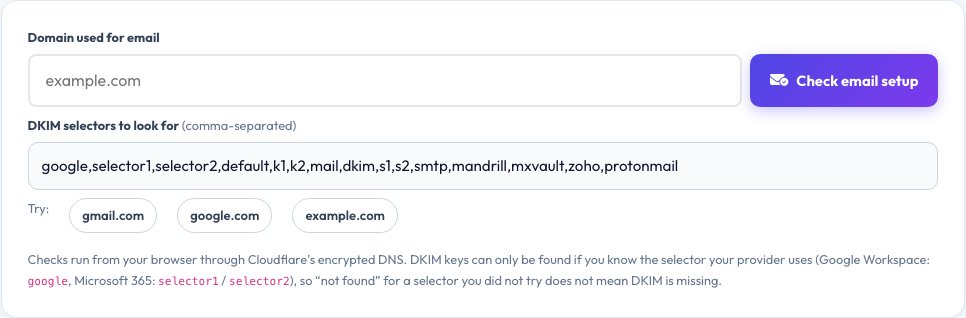
google, Microsoft 365: selector1 / selector2), so “not found” for a selector you did not try does not mean DKIM is missing.See Email Setup Checker (SPF, DKIM, DMARC, MX) in action
SPF, DKIM and DMARC Checker — Test Your Domain's Email Setup
If your emails land in spam or somebody is sending mail pretending to be your domain, the cause is usually missing or broken email authentication. Enter your domain and this checker looks up its MX (mail servers), SPF (which servers may send), DMARC (what to do with mail that fails checks) and DKIM (digital signatures), plus the optional MTA-STS, TLS-RPT and BIMI records, and gives your setup a score out of 10.
Every finding comes with a plain-language explanation and a fix: multiple SPF records (invalid), more than 10 DNS lookups in SPF, a soft or permissive “all”, a DMARC policy stuck on p=none, or no reporting address. Because DKIM keys are published under a provider-specific selector, the tool tries the common ones (Google, Microsoft 365, Zoho and others) and lets you add your own. Lookups use Cloudflare's encrypted DNS from your browser.
Key features
MX, SPF, DMARC and DKIM
Analysed and explained one by one.
10-point score
A quick overall verdict for your domain.
Errors and fixes
Multiple SPF records, too many lookups, weak policies.
Optional records
MTA-STS, TLS-RPT and BIMI.
How to use it
- Enter your email domain (for example yourcompany.com).
- Add your DKIM selector if you know it.
- Press Check email setup and read the score.
- Follow the fix under each red or orange item.
Worked example
Example
Domain with SPF -all, DMARC p=reject with reports and a Google DKIM key → 10/10; a domain with only SPF ~all → 3/10.
Who uses this tool
Business owners and admins
Stop spoofing and reach the inbox.
Email marketers
Meet Gmail and Yahoo bulk-sender rules.
IT and MSP teams
Audit client domains quickly.
Tips for the best results
- Publish exactly one SPF record and keep it under 10 DNS lookups.
- Start DMARC at p=none with reports, then move to quarantine and reject.
- Sign mail with DKIM at every service that sends for you.
- Recheck after adding a new email or marketing platform.
Common mistakes to avoid
- Creating a second SPF record for a new tool instead of merging them.
- Leaving DMARC at p=none forever.
- Assuming a missing DKIM result means no DKIM — you may have used another selector.
Why use AZRS QuickFix?
It is 100% free, needs no signup and has no watermark or usage limits. The tool runs in your browser, so what you type stays on your device, and it works on phones, tablets and desktops. New tools are added every week — bookmark this page or browse the full QuickFix toolbox.
Frequently asked questions
What are SPF, DKIM and DMARC?
SPF lists servers allowed to send for your domain, DKIM signs messages, and DMARC tells receivers what to do when SPF or DKIM checks fail and where to send reports.
Why does my email go to spam?
Missing authentication is a top reason. Fixing SPF, DKIM and DMARC greatly improves delivery.
What is a DKIM selector?
A name that points to your DKIM public key, like google._domainkey.yourdomain.com. Your email provider tells you the selector to use.
Why is p=none not enough?
It only monitors. To stop spoofing you need quarantine or reject.
What does a null MX mean?
A record “0 .” that declares the domain never receives email, which is fine for a domain that only sends.
Is my domain data stored?
No. The checks run from your browser through public DNS.