Time Zone Converter
Convert times between cities and time zones · free, no signup
Convert to
See Time Zone Converter in action
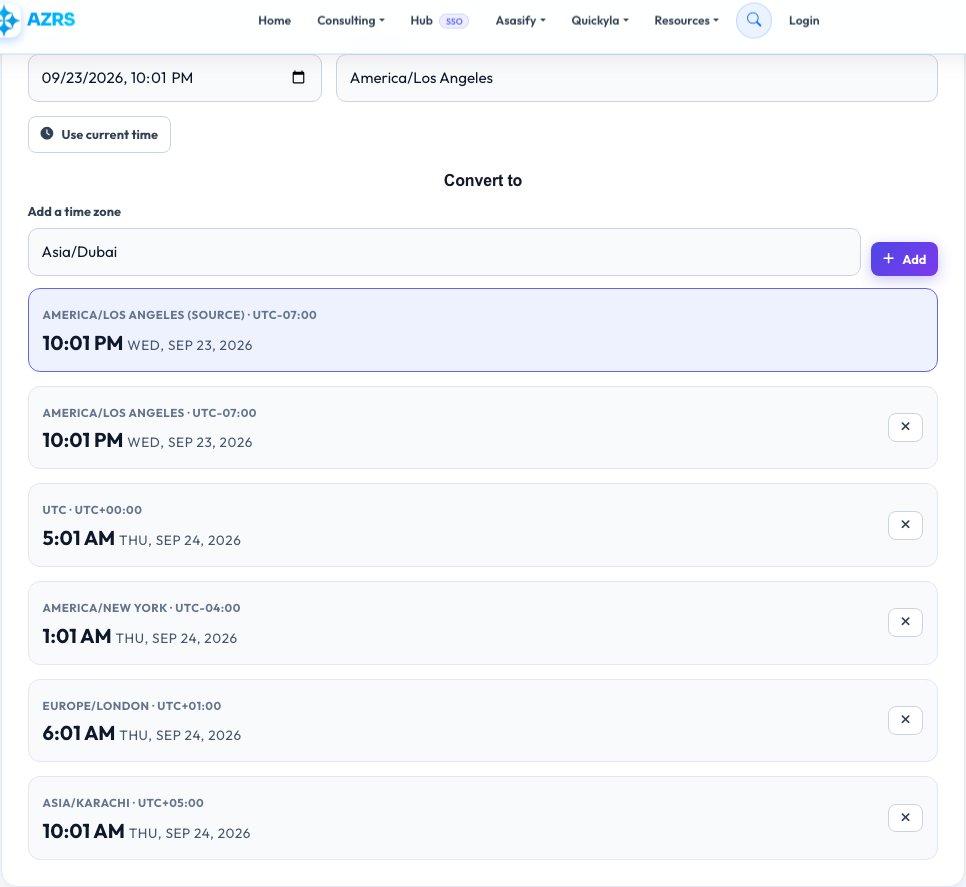
Free Time Zone Converter & Meeting Planner
Scheduling across countries is confusing. Choose a date and time in one place and see the equivalent time in any number of cities, with daylight saving time handled automatically.
Add the cities your team works in to build a quick world clock, and use it to find a meeting time that works for everyone.
Key features
Many zones at once
Compare as many cities as you like.
Daylight saving aware
Uses your browser's time zone database.
Pick any date
Correct for future and past dates.
Local time detected
Starts from your own time zone.
How to use it
- Choose the date and time.
- Select the source time zone.
- Add the cities to compare.
- Read the converted times.
Worked example
Example
12:00 UTC on 1 July 2024 →
New York 8:00 AM · London 1:00 PM · Karachi 5:00 PM · Los Angeles 5:00 AM
Who uses this tool
Remote and global teams
Find meeting times that work everywhere.
Travellers
Know the local time before you land or call.
Traders and gamers
Track market opens and event times.
Tips for the best results
- Convert from a specific date — daylight saving changes offsets.
- Share meeting times with the time zone name, not just an offset.
- Pick times inside everyone’s working hours where possible.
- Add several cities to compare them side by side.
Common mistakes to avoid
- Ignoring daylight saving differences between countries.
- Assuming all countries change clocks on the same date.
- Writing “EST” in summer when the zone is actually EDT.
Why use AZRS QuickFix?
It is 100% free, needs no signup and has no watermark or usage limits. The tool runs in your browser, so what you type stays on your device, and it works on phones, tablets and desktops. New tools are added every week — bookmark this page or browse the full QuickFix toolbox.
Frequently asked questions
How do I convert EST to PST?
PST is three hours behind EST. Enter the time and choose both zones.
Does it handle daylight saving?
Yes. It applies the correct offset for the date you choose.
What is UTC?
Coordinated Universal Time, the global time standard that has no daylight saving.
Can I plan a meeting across zones?
Yes. Add every attendee's city and choose a time that is reasonable for all.
Does it handle daylight saving time?
Yes, it uses the official time-zone database for the date you choose.
What is UTC?
Coordinated Universal Time — the world’s reference time standard.