Exercise Library with Animations
170 exercises with animated demos, muscles and how-to cues · free, no signup
See Exercise Library with Animations in action
Exercise Library with Animations
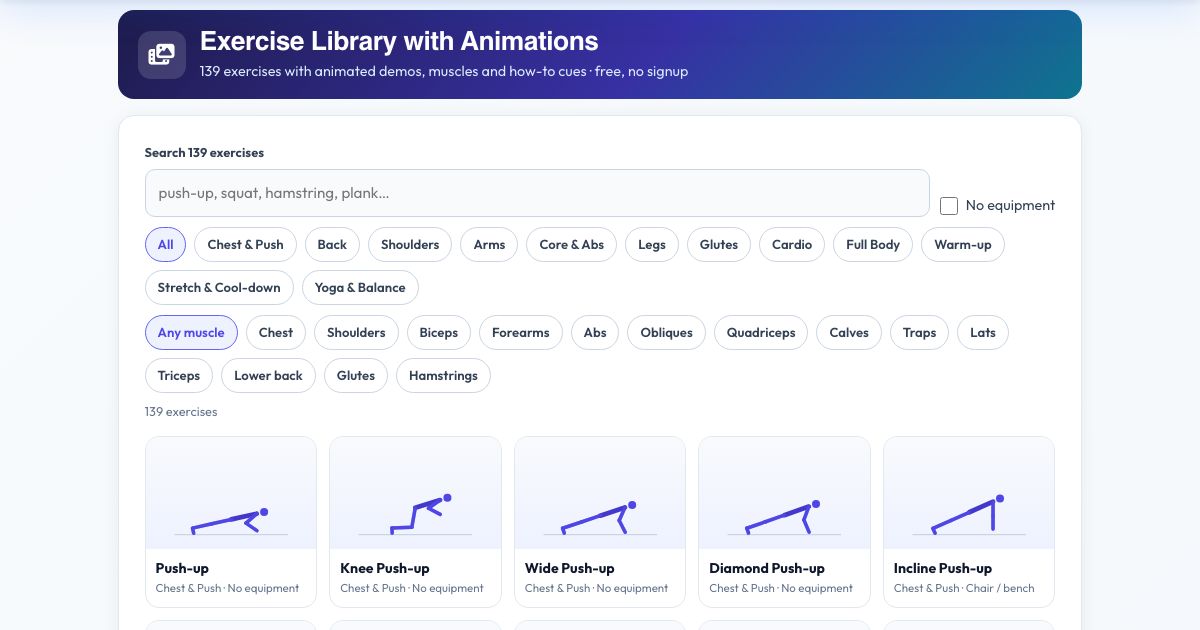
Every exercise has an animated figure showing the movement, a short how-to cue, the equipment needed, the muscles it trains and a suggested starting number of reps or seconds. Search by name, filter by group (chest, back, shoulders, arms, core, legs, glutes, cardio, full body, warm-up, stretch, yoga) or by muscle, and hide anything that needs equipment.
Open an exercise for a larger animation and press 'Do it with the voice coach' to send it straight to the Workout Builder. Share a link to any exercise.
Key features
170 exercises
Twelve categories.
Animated demonstrations
Smooth loop for each.
Filter by muscle
14 muscles.
No-equipment filter
Bodyweight only.
Send to builder
One tap.
Deep links
Share any exercise.
How to use it
- Search or filter the library.
- Tap an exercise to see it larger.
- Read the cue and muscles.
- Press Do it with the voice coach.
Worked example
Example
Search 'lunge', open Reverse Lunge, watch the animation and add 3 sets of 10 to a workout.
Who uses this tool
Beginners
Learn movements.
Home exercisers
Find options.
Coaches
Send clients links.
Tips for the best results
- Learn the movement slowly before adding speed.
- Use the muscle filter to balance push and pull.
Common mistakes to avoid
- Skipping the cue about form.
Why use AZRS QuickFix?
It is 100% free, needs no signup and has no watermark or usage limits. The tool runs in your browser, so what you type stays on your device, and it works on phones, tablets and desktops. New tools are added every week — bookmark this page or browse the full QuickFix toolbox.
Frequently asked questions
Are the animations realistic?
They are simple stick-figure demonstrations of the key positions to show the movement pattern.
Is it free and private?
Yes. It is free with no signup, and everything is saved only in your own browser on this device.