Online Tuner (Guitar, Ukulele, Violin & Chromatic)
Tune any instrument with your microphone — live pitch, note and cents · free, no signup
See Online Tuner (Guitar, Ukulele, Violin & Chromatic) in action
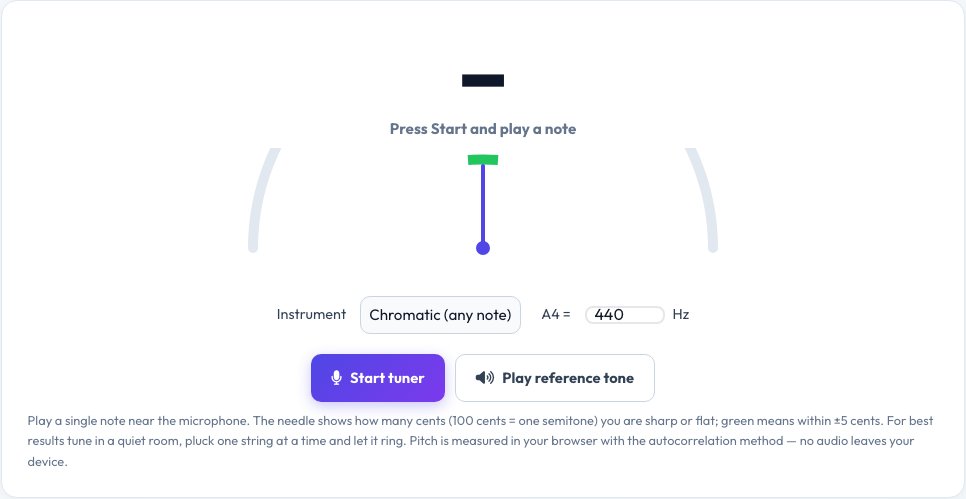
Free Online Tuner — Guitar, Bass, Ukulele, Violin and Chromatic
This online tuner listens to your instrument through your microphone and shows the note you are playing, its frequency in hertz and — most importantly — how many cents sharp or flat it is. A needle swings to the centre and turns green when the string is within five cents of perfect pitch, so you can tune by eye without any special hardware.
Choose a chromatic tuner for any note, or presets for standard guitar (E A D G B E), bass, ukulele, violin and cello. Tap a string button to hear a reference tone and see the target frequency, and change the A4 reference from 415 to 466 Hz for baroque, orchestral or alternative tunings. Pitch is measured in your browser with a normalised autocorrelation algorithm, and no audio ever leaves your device.
Key features
Live note and cents needle
See exactly how sharp or flat each string is.
Instrument presets
Guitar, bass, ukulele, violin, cello and chromatic.
Reference tones
Tap a string to hear the target pitch.
Adjustable A4
Tune from 415 to 466 Hz for any repertoire.
How to use it
- Click Start tuner and allow the microphone.
- Choose your instrument and (optionally) tap the string you are tuning.
- Pluck one string and let it ring.
- Tighten or loosen until the needle is centred and green.
Worked example
Example
Guitar A string reads 108.9 Hz (A2 −17 cents flat) → tighten slightly until it reads 110.0 Hz and turns green.
Who uses this tool
Guitarists, bassists and ukulele players
Quick, accurate tuning anywhere.
Violin and cello students
Check open strings before practice.
Singers and teachers
See the pitch you are singing.
Tips for the best results
- Tune in a quiet room and pluck one string at a time.
- Tune up to the note rather than down — it holds better.
- Tune every string, then re-check the first — tension changes the others.
- Use the reference tone to hear the target if your ear needs help.
Common mistakes to avoid
- Playing several strings together, which confuses any tuner.
- Tuning with a noisy fan or music playing.
- Forgetting to match the A4 setting to your ensemble.
Why use AZRS QuickFix?
It is 100% free, needs no signup and has no watermark or usage limits. The tool runs in your browser, so what you type stays on your device, and it works on phones, tablets and desktops. New tools are added every week — bookmark this page or browse the full QuickFix toolbox.
Frequently asked questions
How does the tuner work?
It records short sound windows from your microphone and finds the repeating period of the waveform (autocorrelation), then converts that frequency to the nearest note and the offset in cents.
What are cents?
There are 100 cents in a semitone. Within about ±5 cents most people cannot hear that a note is out of tune.
What is A4 = 440 Hz?
The standard concert pitch. Some ensembles use 442 or 432 Hz, and baroque music often uses 415 Hz.
Why does it not detect my note?
Play louder or closer to the microphone, reduce background noise, and play one note at a time.
Does it work for bass and low notes?
Yes, down to about 30 Hz (low B on a five-string bass).
Is my audio recorded?
No. It is analysed live in your browser and discarded.