Tabata / HIIT Interval Timer
A configurable work/rest interval timer with rounds, sound cues and a visual countdown · free, no signup
See Tabata / HIIT Interval Timer in action
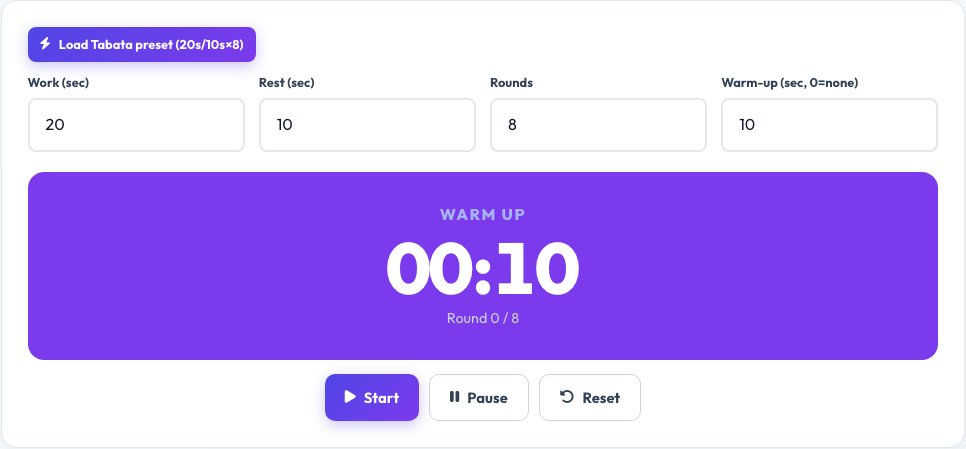
Free Tabata / HIIT Interval Timer
The classic Tabata protocol is 20 seconds of work followed by 10 seconds of rest, repeated for 8 rounds, but plenty of HIIT workouts use custom work/rest ratios and round counts instead. This timer supports both: use the Tabata preset for the standard protocol, or set your own work time, rest time, number of rounds and an optional warm-up period for any interval workout.
A large, high-contrast countdown fills the screen so it's readable from across a room, the current phase (Warm up, Work, Rest, Done) is always clearly labelled, and distinct sound cues mark every transition so you don't need to keep glancing at your phone mid-set.
Key features
Tabata preset built in
20s work / 10s rest / 8 rounds, one tap to load.
Fully custom intervals
Set any work time, rest time, round count and warm-up.
Large, glanceable countdown
Readable from across a room, with the current phase always labelled.
Audible phase-change cues
Distinct sounds for work start, rest start and workout complete.
How to use it
- Choose the Tabata preset, or set custom work/rest times and rounds.
- Optionally add a warm-up period.
- Tap Start and follow the large countdown and sound cues.
- The timer announces Done when all rounds are complete.
Worked example
Example
Custom HIIT: 40s work / 20s rest × 10 rounds with a 30s warm-up → total workout time 11 minutes.
Who uses this tool
Home and gym HIIT workouts
Run structured intervals without a separate app or device.
Personal trainers
Set up custom work/rest ratios for different clients.
Tabata and circuit-training enthusiasts
One-tap classic Tabata protocol.
Tips for the best results
- Use the warm-up period even for short workouts — it reduces injury risk and improves performance in the work intervals.
- Keep your phone or device visible and audio unmuted so you can hear each phase-change cue without checking the screen.
- Match rest time to your fitness level — beginners often need closer to a 1:1 work:rest ratio rather than Tabata's aggressive 2:1.
- Increase rounds gradually over weeks rather than jumping straight to a long session.
Common mistakes to avoid
- Setting rest time to zero, which removes the recovery needed to maintain good form through all rounds.
- Muting your device and then missing phase-change cues mid-exercise.
- Copying an advanced Tabata protocol (20s/10s) as a beginner without building up to that intensity first.
Why use AZRS QuickFix?
It is 100% free, needs no signup and has no watermark or usage limits. The tool runs in your browser, so what you type stays on your device, and it works on phones, tablets and desktops. New tools are added every week — bookmark this page or browse the full QuickFix toolbox.
Frequently asked questions
What is the standard Tabata protocol?
20 seconds of maximum-effort work followed by 10 seconds of rest, repeated for 8 rounds — a 4-minute total workout, built into this timer as a one-tap preset.
Can I set my own work and rest times?
Yes, switch to custom mode and set any work time, rest time, round count and optional warm-up.
Does it work if my phone screen locks?
Keep the screen active during your workout, since the timer runs in the browser tab and pauses if the tab is backgrounded or the device sleeps, depending on your browser and device settings.
Are the sound cues loud enough for a gym?
They use your device's normal media volume, so turn your device volume up beforehand for a noisy environment.
Can I use it for things other than Tabata, like boxing rounds?
Yes, custom mode works for any work/rest interval structure, including boxing rounds or Pomodoro-style study/break cycles.
Is my workout data saved?
No, this is a live timer only with no history or account; your settings reset when you reload the page.