ASCII Art Generator
Turn text into large ASCII banner letters, or a photo into ASCII art · free, no signup
See ASCII Art Generator in action
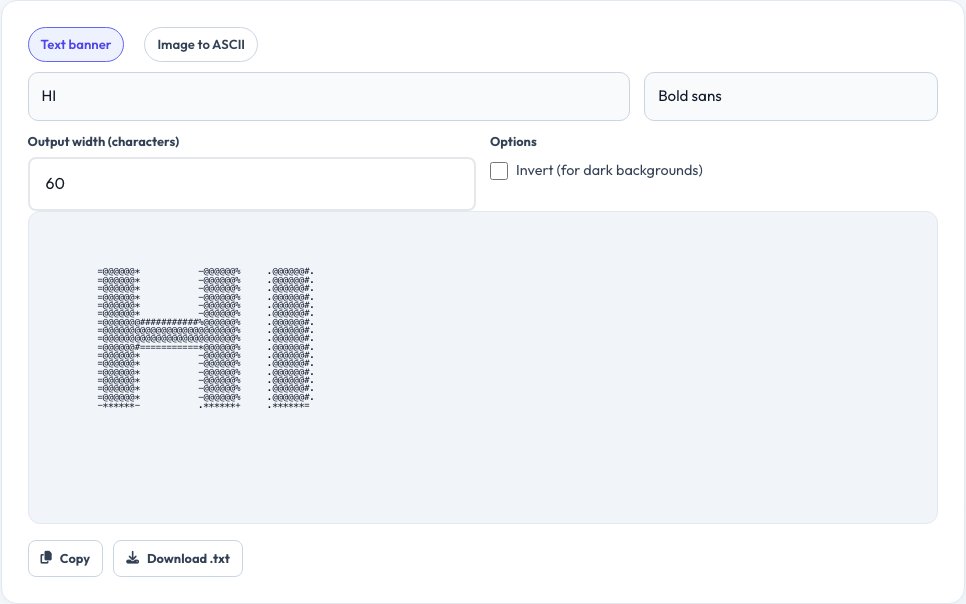
Free ASCII Art Generator — Text Banners and Image to ASCII
Type a word or short phrase and this tool draws it as large block-letter ASCII art using a monospace character font, similar to classic terminal banner tools — perfect for code comments, README files, terminal welcome messages or retro-style text art, with a choice of several letter styles.
Switch to image mode to convert a photo into ASCII art made entirely of text characters: darker areas use denser characters and lighter areas use sparse ones, recreating the image's shapes and shading using nothing but plain text, which you can copy into any monospace text field.
Key features
Text banner mode
Large block-letter ASCII from any short phrase.
Several font styles
Different letter shapes for the banner.
Image to ASCII
Convert a photo into character-based art.
Copy or download
Get the result as plain text, ready to paste.
How to use it
- Choose Text banner or Image to ASCII.
- Type a phrase, or drop in a photo.
- Adjust the font or the width/density.
- Copy or download the ASCII art.
Worked example
Example
Text “HI” → a 5-line block-letter banner in a monospace font, ready to paste into a code comment or terminal message.
Who uses this tool
Developers
Add a banner to a README, CLI tool or code comment.
Forum and chat users
Make retro-style text art for posts and signatures.
Anyone experimenting
Turn a photo into a novelty text-art version.
Tips for the best results
- Keep banner phrases short — long text wraps awkwardly in most terminals.
- Use a monospace font (like Courier or Consolas) wherever you paste ASCII art, or it will not line up.
- For image mode, higher-contrast photos convert to clearer ASCII art.
- Adjust the output width to match where you plan to paste it.
Common mistakes to avoid
- Pasting ASCII art into a non-monospace font context, where it becomes misaligned.
- Using a very long phrase for a banner, making each line too wide to read.
- Converting a very busy or low-contrast photo and expecting a clear result.
Why use AZRS QuickFix?
It is 100% free, needs no signup and has no watermark or usage limits. The tool runs in your browser, so what you type stays on your device, and it works on phones, tablets and desktops. New tools are added every week — bookmark this page or browse the full QuickFix toolbox.
Frequently asked questions
What font should I use to view ASCII art?
Any monospace (fixed-width) font such as Courier New, Consolas or a code editor's default font.
Can I convert a photo to ASCII art?
Yes, switch to image mode, drop in a photo and adjust the output width and character density.
Is there a character limit for the text banner?
Short phrases work best — very long text becomes hard to read as a banner.
Can I copy the result?
Yes, use the copy button, or download it as a .txt file.
Are my images uploaded?
No, the photo is processed locally in your browser to build the ASCII art.
Does it support colour?
Output is plain text characters; colour depends on where you paste it, since plain ASCII has no colour of its own.