Shopping List & Budget Tracker
A shopping list with a running total so you never go over budget · free, no signup
See Shopping List & Budget Tracker in action
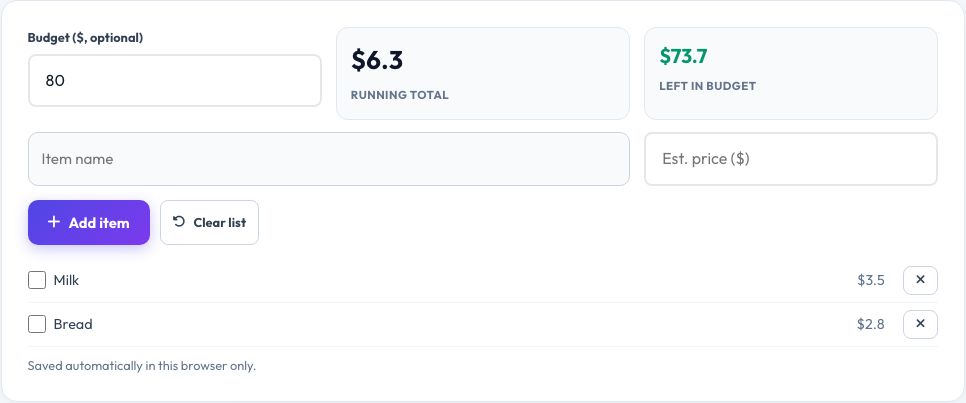
Free Shopping List with a Running Total
Add items to a shopping list with an estimated price for each, and a running total updates as you add them — so you know before you reach the checkout whether you are on budget. Set an overall budget and the total turns red if you go over it, and tick items off as you place them in the cart or basket.
The list, prices and ticked state are saved automatically in your browser, so you can build the list at home and open it again on your phone in the shop without losing anything, and clear it in one tap once the shop is done.
Key features
Live running total
Updates instantly as you add or price items.
Budget alert
Turns red the moment you go over your set budget.
Tick off while shopping
Mark items as picked up without deleting them.
Auto-saved
Your list is kept in the browser between visits.
How to use it
- Set a budget (optional).
- Add items and an estimated price for each.
- Tick items off as you shop.
- Watch the running total to stay on budget.
Worked example
Example
Budget $80 → milk $3.50, bread $2.80, chicken $11.00… running total $76.40 → still $3.60 under budget with the list not yet finished.
Who uses this tool
Budget-conscious shoppers
Avoid an over-budget surprise at the checkout.
Families
Share a simple list that tracks cost as items are added.
Anyone meal planning
Estimate the cost of a week's groceries before shopping.
Tips for the best results
- Round prices up slightly when estimating, so the real total comes in at or under your guess.
- Update an item's price once you know the actual shelf price, for a more accurate running total next time.
- Group similar items together (produce, dairy, pantry) to shop more efficiently.
- Clear the list after each trip to start fresh for the next one.
Common mistakes to avoid
- Forgetting to add a price, which understates the running total.
- Not setting a budget at all, losing the main benefit of the alert.
- Leaving ticked-off items from last week's trip on the list, confusing the total.
Why use AZRS QuickFix?
It is 100% free, needs no signup and has no watermark or usage limits. The tool runs in your browser, so what you type stays on your device, and it works on phones, tablets and desktops. New tools are added every week — bookmark this page or browse the full QuickFix toolbox.
Frequently asked questions
Is my shopping list saved?
Yes, in your browser's local storage on this device — it is not uploaded or shared.
Can I set a budget?
Yes, enter a budget and the total turns red if your list goes over it.
Do I need exact prices?
No, estimates work fine — update them as you find out the real shelf price for a more accurate total.
Can I use it on my phone while shopping?
Yes, it works in any mobile browser and keeps your list saved as you go.
Does it sync between devices?
No, storage is local to each browser and device.
Can I clear the list for a new trip?
Yes, a one-tap clear button resets it, keeping ticked history out of your way.