Resume / CV Builder + ATS Score Checker
Build a resume with a live preview, then score it against ATS parsing rules · free, no signup
Contact
Summary
Experience
Education
Skills
See Resume / CV Builder + ATS Score Checker in action
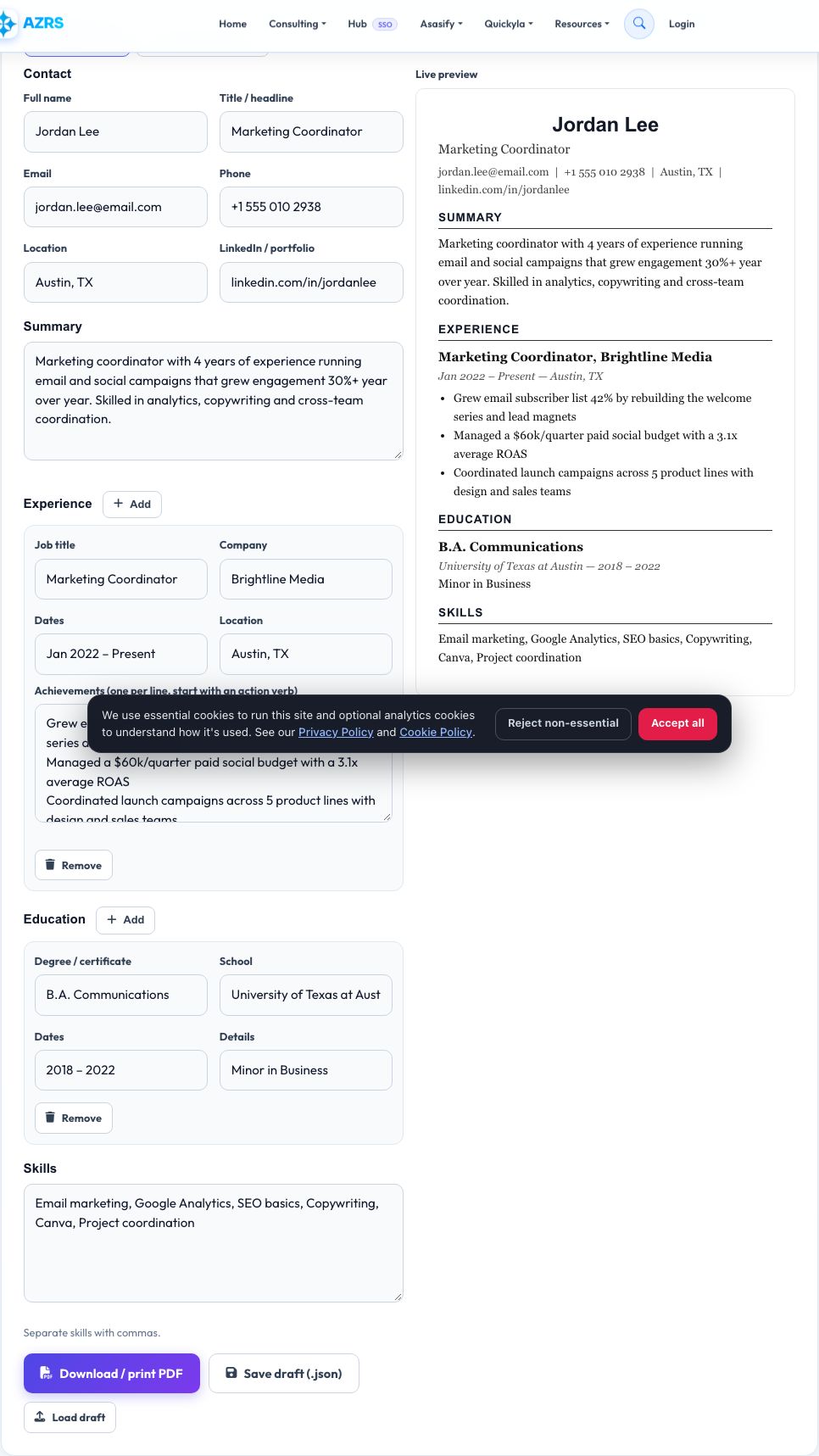
Free Resume Builder with a Built-In ATS Score Checker
Build a clean, single-column resume by filling in simple fields — contact details, a summary, work experience with bullet points, education and skills — while a live preview on the right shows exactly how it will look. When you are happy with it, click Download / print PDF and use your browser's print dialog to save it as a polished PDF, no design software needed. You can also save your progress as a small JSON file and reload it later to keep editing.
Most mid-size and large employers run resumes through an Applicant Tracking System (ATS) before a human ever sees them, and a resume that confuses the parser can be silently rejected. The built-in ATS score checker analyses your resume's structure and text the way these systems do: it checks for a valid email and phone number, a real summary, quantified achievements, a skills list of reasonable size, sensible length, and an unusual amount of special characters that often come from tables or graphics-heavy templates. Paste in a job description and it also measures how many of that posting's key terms already appear in your resume, so you can tailor it before you apply.
Key features
Guided sections
Contact, summary, experience, education and skills with a clean live preview.
One-click PDF export
Uses your browser's print-to-PDF, no upload and no watermark.
Save and reload drafts
Export a JSON draft and load it back in any time.
ATS score with keyword match
Structural checks plus optional job-description keyword comparison.
How to use it
- Fill in your contact details, summary, experience, education and skills.
- Watch the live preview update as you type.
- Click Download / print PDF and choose Save as PDF in the print dialog.
- Switch to the ATS score checker tab, optionally paste a job description, and click Check ATS score.
Worked example
Example
A resume with no phone number, a one-line summary and no numbers in its bullets scores 58/100 — “Needs work” — with tips to add a phone number, expand the summary and quantify at least two achievements.
Who uses this tool
Job seekers and career changers
Build a clean resume fast and check it will survive automated screening.
Students and new graduates
Get a properly structured resume even with limited work history.
Recruiters and career coaches
Quickly sanity-check a client's resume for common ATS pitfalls.
Tips for the best results
- Add at least one number to each experience bullet — “grew”, “managed”, “reduced” mean more with a % or $ attached.
- Paste the actual job posting before applying to see which of its key terms you are missing.
- Keep the layout to one column of plain text — tables and text boxes are the most common cause of ATS parsing failures.
- Aim for 350–800 words; too short looks incomplete, too long gets skimmed or truncated.
Common mistakes to avoid
- Relying on a fancy visual template that hides text in graphics or columns an ATS cannot read.
- Leaving out a phone number or using an unprofessional email address.
- Writing bullet points that describe duties instead of quantified achievements.
- Copy-pasting an old resume without re-checking the keyword match for a new role.
Why use AZRS QuickFix?
It is 100% free, needs no signup and has no watermark or usage limits. The tool runs in your browser, so what you type stays on your device, and it works on phones, tablets and desktops. New tools are added every week — bookmark this page or browse the full QuickFix toolbox.
Frequently asked questions
What is an ATS?
An Applicant Tracking System is software many employers use to store, search and rank resumes before a recruiter reads them. A poorly structured resume can be misread or ranked low even when the candidate is qualified.
Does a high ATS score guarantee an interview?
No. It shows your resume is structured in a way ATS software can parse correctly and that it shares key terms with the job posting — the content still has to be strong and relevant.
Is my resume data uploaded anywhere?
No. Everything, including the ATS check, runs in your browser. Saved drafts are downloaded to your own device.
How do I export as a PDF?
Click Download / print PDF, then choose “Save as PDF” as the destination printer in your browser's print dialog.
Why does the checker want numbers in my bullet points?
Quantified results (“increased sales 18%”, “managed a team of 5”) are both easier for ATS keyword matching and more convincing to human reviewers.
Can I check a resume against more than one job description?
Yes — paste a different job description and click Check ATS score again any time; each check is independent.