Click Speed Test (CPS)
How many clicks per second can you do? Test 1 to 60 seconds · free, no signup
See Click Speed Test (CPS) in action
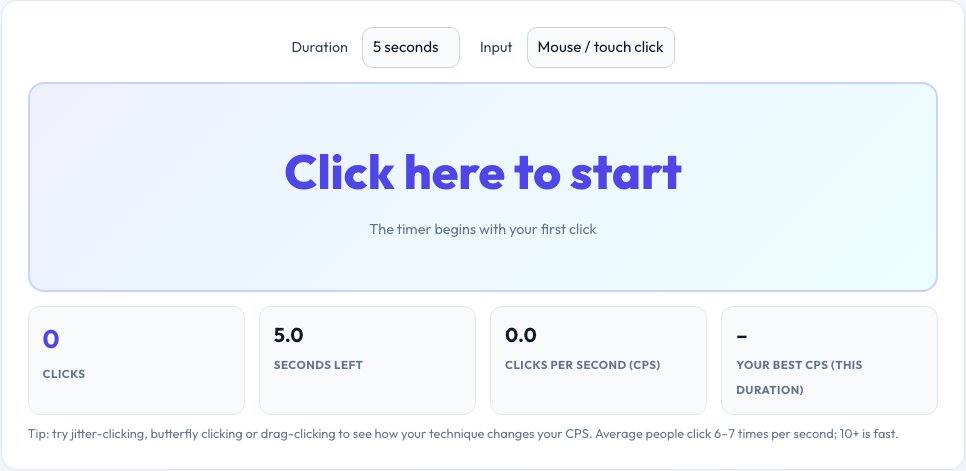
Free Click Speed Test — Measure Your Clicks per Second (CPS)
The click speed test counts how many times you can click in a set time and turns it into clicks per second (CPS). Pick a duration from one to sixty seconds, click the pad as fast as you can — the timer starts on your first click — and see your CPS, total clicks and a ranking from slow to superhuman.
You can test with a mouse, on a touch screen or with the spacebar, and your best score for each duration and input type is saved in your browser so you can beat your own record. It is popular with gamers who want to improve in Minecraft PvP and clicker games, and with anyone comparing mouse, trackpad and technique — jitter clicking, butterfly clicking and drag clicking.
Key features
Seven durations
1, 2, 5, 10, 15, 30 or 60 seconds.
Mouse, touch or spacebar
Test any input method.
Personal best
Stored per duration and input in your browser.
Rank and share
See how you compare and copy your score.
How to use it
- Choose the duration and input type.
- Click the pad — the timer starts on your first click.
- Keep clicking until time is up.
- Read your CPS and rank, then try again to beat your best.
Worked example
Example
42 clicks in 5 seconds = 8.4 CPS → “Very good”.
95 clicks in 10 seconds = 9.5 CPS → close to excellent.
Who uses this tool
Gamers
Train for PvP, clicker and rhythm games.
Friends and streamers
Challenge each other and share scores.
Anyone curious
Compare mice and trackpads or warm up your fingers.
Tips for the best results
- Rest your forearm on the desk and use light finger movements.
- Try short 5-second rounds — CPS drops on long tests because fingers tire.
- Try different techniques (jitter, butterfly) and compare.
- Use a light, responsive mouse for higher CPS.
Common mistakes to avoid
- Testing on a laptop trackpad with tap-to-click delays.
- Comparing 60-second averages with 1-second bursts.
- Holding the button down with auto-click software, which does not measure you.
Why use AZRS QuickFix?
It is 100% free, needs no signup and has no watermark or usage limits. The tool runs in your browser, so what you type stays on your device, and it works on phones, tablets and desktops. New tools are added every week — bookmark this page or browse the full QuickFix toolbox.
Frequently asked questions
What is a good CPS?
Around 6 CPS is average, 8+ is good, 10+ is excellent, and 14+ usually needs special techniques such as drag clicking.
How is CPS calculated?
Total clicks divided by the test duration in seconds.
Does the timer start when I click or when I press start?
It starts on your first click, so no time is lost.
Does the spacebar mode count key repeat?
No. Held-down key repeats are ignored; only separate presses count.
Are scores saved?
Your best CPS for each duration and input type is saved in your browser only.
Does it work on touch screens?
Yes. Tap the pad as fast as you can; multi-touch taps count individually.