Video Watermark Tool
Stamp a real text or logo watermark onto every frame of a video and export a genuinely watermarked video file · free, no signup
See Video Watermark Tool in action
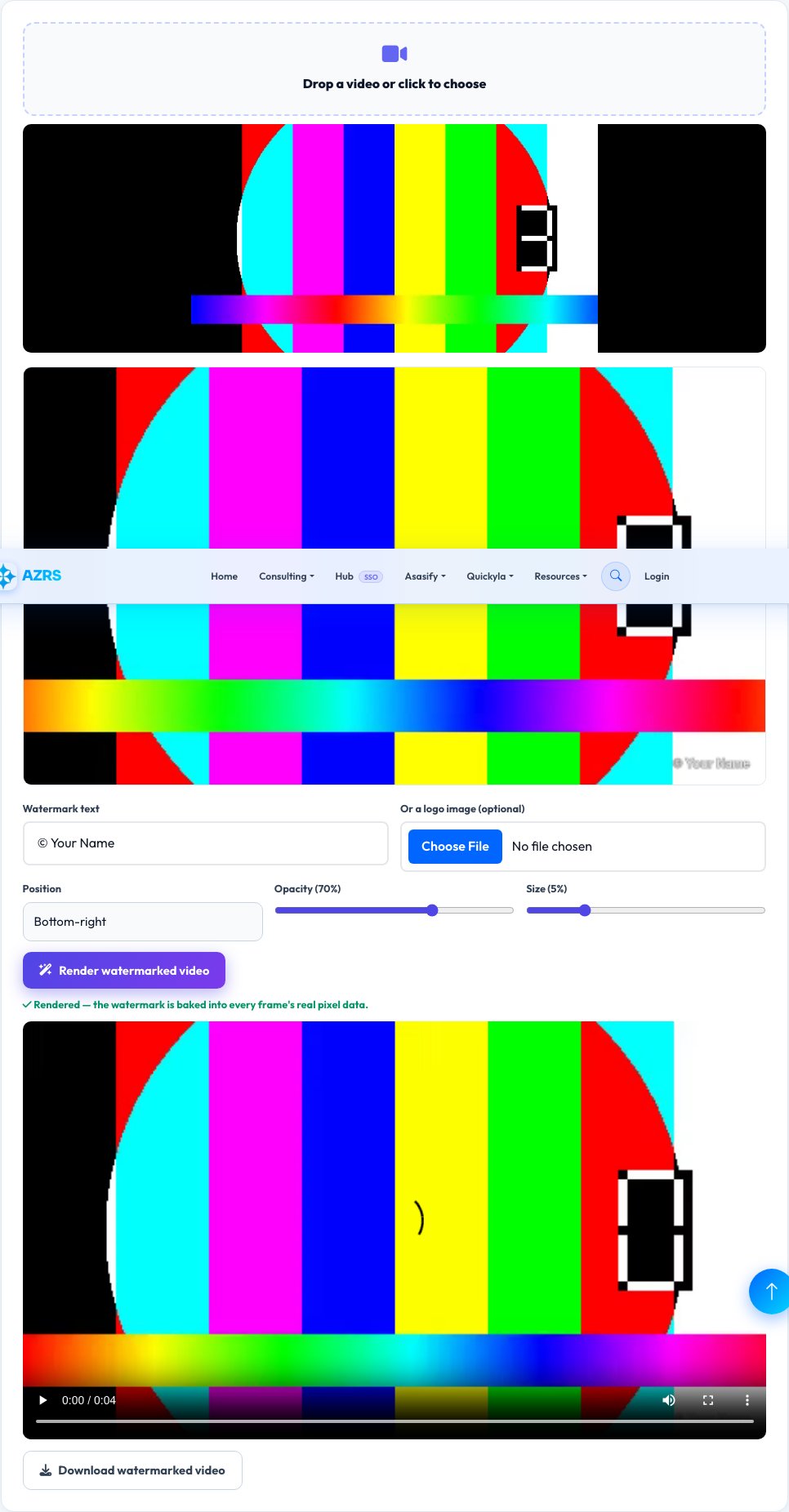
Video Watermark Tool
This site already has a photo watermarking tool — this is the real video equivalent, a genuinely different technical problem since a watermark needs to be drawn onto every one of a video's many frames and the whole thing re-encoded, not applied once to a single image. This tool plays your uploaded video frame by frame onto a canvas, draws your chosen text or logo watermark onto every single frame at your chosen position, size and opacity, and captures the canvas output frame-by-frame into a genuinely new, watermarked video file using the browser's native recording pipeline.
The result is a real video file with the watermark baked into every frame's actual pixel data — not an overlay that could be toggled off, cropped out easily, or stripped by re-saving, since it's now part of the video content itself.
Key features
Real per-frame watermarking
The watermark is drawn onto every actual video frame's pixel data, not shown as a removable overlay.
Text or logo image watermark
Use typed text, an uploaded logo image, or both.
Adjustable position, size and opacity
Corner, center or tiled placement with a real transparency control.
Genuinely re-encoded output video
Exports an actual new video file with the watermark baked in, playable anywhere.
How to use it
- Upload your video.
- Add a text watermark, upload a logo image, or both, and set position/size/opacity.
- Click Render — the tool draws the watermark onto every real frame and re-encodes the video.
- Download the watermarked video file.
Worked example
Example
A 30-second product demo video watermarked with a semi-transparent logo in the bottom-right corner produces a new video file where every single frame — all roughly 900 of them at 30fps — has that logo baked directly into its pixel data, so the watermark plays consistently throughout, not just as a static image shown once.
Who uses this tool
Content creators sharing preview or draft videos
Mark ownership on every frame before sharing a work-in-progress publicly.
Small businesses protecting promotional video content
Add a persistent brand watermark before distributing a video online.
Anyone sharing a video clip they want clearly attributed
Bake in a name, handle or logo that stays with the video wherever it's shared.
Tips for the best results
- Rendering happens by capturing the canvas output in real time as the video plays through once, so a longer source video takes proportionally longer to process — this is expected, not a stall.
- The exported format depends on what your browser's video recording pipeline supports (commonly WebM); if you need a different container format, a separate conversion step may be needed afterward.
- A larger, higher-opacity watermark is harder to crop or edit out, which matters if the goal is real protection against reuse rather than just branding.
Common mistakes to avoid
- Expecting the export to preserve the exact original file format automatically — the output format follows what the browser's recording pipeline produces, which may differ from the source video's original format.
- Using a very small, low-opacity watermark and expecting it to meaningfully deter reuse — a bigger, higher-opacity, harder-to-crop placement offers more real protection if that's the goal.
- Not checking audio is preserved correctly in the exported file — confirm the rendered output's sound plays back as expected before relying on it.
Why use AZRS QuickFix?
It is 100% free, needs no signup and has no watermark or usage limits. The tool runs in your browser, so what you type stays on your device, and it works on phones, tablets and desktops. New tools are added every week — bookmark this page or browse the full QuickFix toolbox.
Frequently asked questions
Is the watermark really baked into the video, or just an overlay shown during playback?
It's really baked in — every actual video frame is drawn to a canvas with the watermark rendered on top of it, and that combined result is what gets captured and re-encoded into the new video file, so the watermark is part of the video's real pixel data, not a toggleable overlay.
How is this different from the site's photo Watermark tool?
The photo tool stamps a watermark onto one still image. This is a genuinely different, more involved process built specifically for video: every one of potentially thousands of frames gets the watermark drawn on individually as the video is re-encoded.
What video format does it export?
Whatever format the browser's native video recording pipeline produces, commonly WebM — this plays in modern browsers and most video players; a further format conversion can be done separately if a specific container is required.
Does it preserve the original audio?
Yes, the audio track is carried through the recording process along with the watermarked video frames.
Is my video uploaded anywhere?
No — the entire process (frame drawing, watermarking and re-encoding) happens locally in your browser.
Is my data stored?
No, nothing is saved after you leave the page.