Disposable Email Checker
Check whether an email address is from a known throwaway/temp-mail domain before you rely on it · free, no signup
How Disposable Email Checker works, step by step
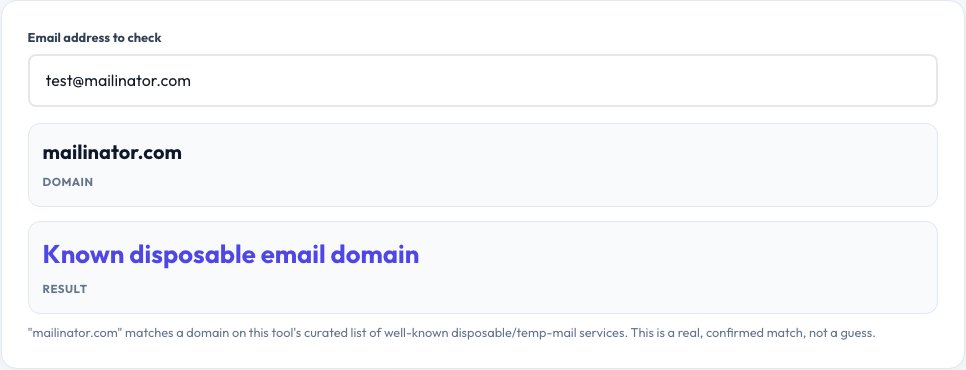
Paste the email address you want to check.
 Download it
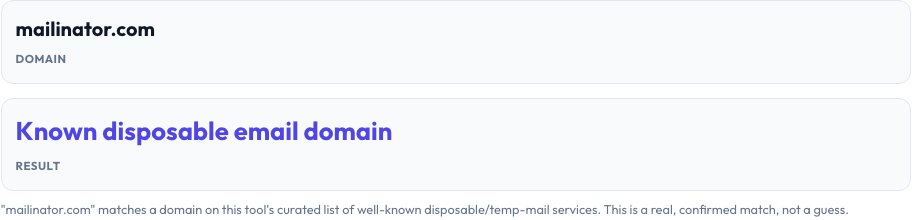
Read the result: known disposable domain, suspicious pattern, or no match found.
Disposable Email Checker — Is This Address a Throwaway?
Paste any email address and this tool checks its domain against a curated list of well-known disposable, temp-mail and throwaway email services — the same kind of services this site's own Temp Mail tool generates addresses from, used in reverse. This is useful when you're on the receiving end: checking a signup form, a lead capture list, a support ticket or a user registration to see whether someone used a burner address that will likely stop working within hours.
The check also looks for common patterns disposable services use in their domain names (like "temp", "trash", "10minute" or "guerrilla") to catch variants and newer domains that might not yet be on the curated list, and it clearly labels a result as either a known match, a suspicious pattern match, or no match found — being upfront that no fixed list can ever be 100% complete since new disposable services appear constantly.
Key features
Curated known-domain list
Checks against a real, actively maintained list of well-known disposable email providers.
Pattern-based secondary check
Catches likely disposable domains using common naming patterns, even if not on the exact list.
Instant, no signup
Paste an address and get a result immediately.
Honest about limits
Clearly distinguishes a confirmed match from a pattern-based suspicion, since no list is ever fully complete.
How to use it
- Paste the email address you want to check.
- Read the result: known disposable domain, suspicious pattern, or no match found.
- Use the result alongside other signals (like whether the email confirms/verifies) for signup or lead-quality decisions.
Worked example
Example
[email protected] -> flagged as a known disposable email domain. [email protected] -> no match, appears to be a standard email provider.
Who uses this tool
Businesses reviewing signups or leads
Spot-check suspicious entries before following up or granting access.
Community and forum moderators
Flag likely throwaway accounts used to bypass one-time registration limits.
Anyone who received an email from an unfamiliar domain
Get a quick signal on whether it's likely a short-lived throwaway address.
Tips for the best results
- This is a signal, not a certainty — a real match strongly suggests a disposable address, but a "no match" doesn't guarantee the email is genuine or actively monitored.
- New disposable domains appear constantly, so combine this check with other verification, like a confirmation email link, for anything important.
- Some people legitimately use disposable addresses for privacy on services they don't fully trust — a match isn't automatically evidence of bad intent.
Common mistakes to avoid
- Treating a "no match" result as proof an email is real and monitored — it only means the domain isn't on the known disposable list.
- Auto-rejecting every flagged address without considering context — some legitimate privacy-conscious users intentionally use these services.
- Relying on this as the sole verification method instead of pairing it with an actual confirmation email for anything important like account security.
Why use AZRS QuickFix?
It is 100% free, needs no signup and has no watermark or usage limits. The tool runs in your browser, so what you type stays on your device, and it works on phones, tablets and desktops. New tools are added every week — bookmark this page or browse the full QuickFix toolbox.
Frequently asked questions
What counts as a disposable email?
An address from a service designed to receive mail temporarily and then expire or become inaccessible, often used to avoid giving out a real address for a one-time signup.
How complete is the domain list?
It covers many well-known, widely used disposable and temp-mail services, plus a pattern check for likely variants, but no list can ever be 100% complete since new services launch constantly.
Is this the same as verifying an email actually exists?
No — this only checks whether the domain is a known throwaway service; it doesn't check whether the specific mailbox exists or is currently active.
Is this related to the site's own Temp Mail tool?
Yes, conceptually it's the reverse: Temp Mail generates a disposable address for you to receive mail; this tool checks whether an address someone gave you is from one of those kinds of services.
Is the email I check sent anywhere?
No, the check runs locally against the domain list in your browser.
Is this free?
Yes, unlimited checks, no signup.