Image to Base64 Converter
Turn an image into a Base64 data URI · free, no signup
Base64 to image
See Image to Base64 Converter in action
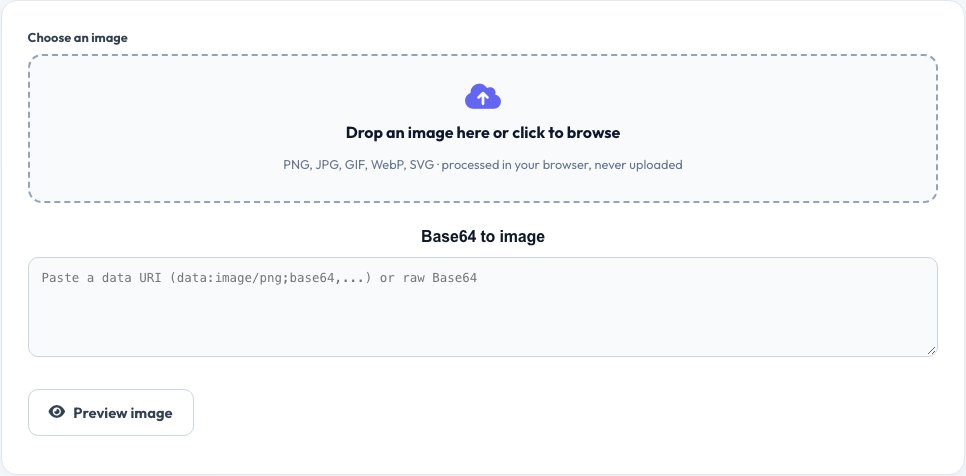
Free Image to Base64 Converter
Embedding a small image directly in HTML or CSS as a Base64 data URI saves a network request and works offline. Drop an image to get the data URI, an HTML img tag, a CSS background rule or the raw Base64 string.
You can also paste Base64 to preview and download the image. The conversion happens entirely in your browser, so your files are never uploaded.
Key features
Ready-to-paste output
Data URI, HTML img and CSS.
Preview and decode
Turn Base64 back into an image.
Private
Files never leave your device.
All common formats
PNG, JPG, GIF, WebP and SVG.
How to use it
- Drop or choose an image.
- Pick the output format you need.
- Copy the code.
- Paste it into your HTML or CSS.
Worked example
Example
logo.png (2 KB) → data:image/png;base64,iVBORw0KGgoAAAANSUhEUg…
HTML:  <img src="data:image/png;base64,…">
CSS:   background:url(data:image/png;base64,…)
Who uses this tool
Front-end developers
Embed small icons without extra requests.
Email and template designers
Inline images in HTML emails.
API and app developers
Send images as JSON strings.
Tips for the best results
- Use Base64 only for small images (under ~10 KB).
- Compress images first to keep the string short.
- Pick the HTML <img>, CSS background or Raw Base64 format to copy ready-to-paste code.
- Larger images are better served as normal files with caching.
Common mistakes to avoid
- Embedding large images, which bloats HTML and hurts speed.
- Forgetting the data: prefix and MIME type.
- Expecting Base64 to compress the file — it makes it about 33% larger.
Why use AZRS QuickFix?
It is 100% free, needs no signup and has no watermark or usage limits. The tool runs in your browser, so what you type stays on your device, and it works on phones, tablets and desktops. New tools are added every week — bookmark this page or browse the full QuickFix toolbox.
Frequently asked questions
When should I use Base64 images?
For small icons and logos. Large images become bigger when Base64 encoded.
How much bigger is Base64?
About 33 percent larger than the original file.
Is my image uploaded?
No. The file is read locally by your browser.
Can I decode Base64 to an image?
Yes. Paste the Base64 string and download the image.
Is my image uploaded?
No. The conversion happens entirely in your browser.
Why is the Base64 text bigger than the file?
Base64 encodes binary as text, adding roughly 33% overhead.