3D Print Orientation Optimizer
Find the best print orientation for less support, speed, strength or surface · free, no signup
See 3D Print Orientation Optimizer in action
Free 3D Print Orientation Optimizer
Orientation decides how much support a print needs, how long it takes, how rough its surfaces are and how strong it is. This tool tests every large flat face of your model (laid on the bed), the six axis directions and a 40-point sphere sample. For each candidate it measures build height (a time proxy), bed-contact area (stability and adhesion), overhang area and support volume (overhangs cast to the bed) and visible stair-step area (near-horizontal curved surfaces whose layer lines show).
Pick the goal that matters — least support, fastest print, best surface or most stable — and the candidates are ranked with that weighting. Preview any orientation in 3D with overhangs coloured, and download the oriented STL ready for your slicer. A note on strength is included: FDM parts are weakest between layers, so orient load-bearing parts with the load along, not across, the layers.
Key features
Dozens of candidates
Flat faces, axis directions and a sphere sample are all scored.
Four goals
Least support, fastest, best surface and most stable weightings.
3D preview with overhangs
See exactly where support would go in each ranked orientation.
Download oriented STL
Ready-to-slice file in the chosen orientation.
How to use it
- Drop in your model.
- Choose your goal and overhang angle.
- Press Analyse orientations.
- Preview the top results and download the best STL.
Worked example
Example
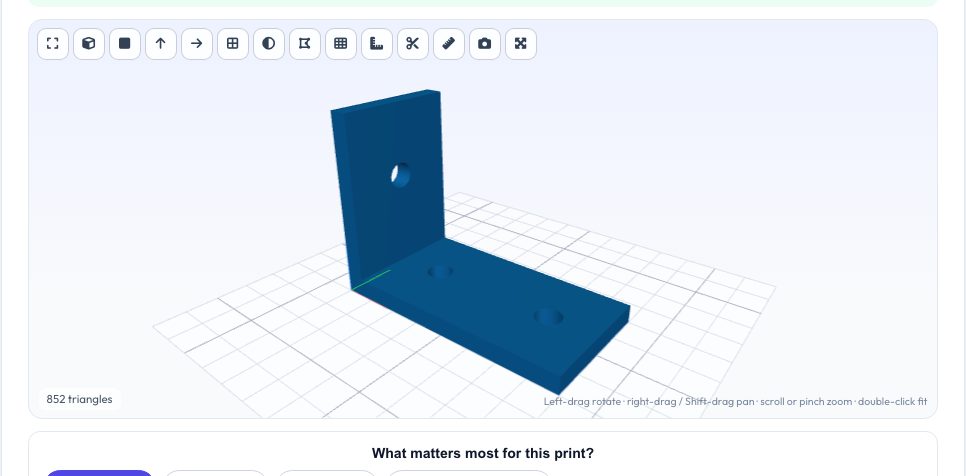
A T-shaped bracket: lying on its back needs 4.2 cm³ of support, standing on its stem 0.4 cm³ but taller by 60 mm; the optimiser lists both with height, bed area and support so you pick for your goal.
Who uses this tool
Makers with complex models
Skip trial and error orientation.
Print farms
Standardise orientation to cut support and time.
Engineers
Choose layer direction for strength.
Tips for the best results
- For strength, consider the load: keep layer lines parallel to the direction of tension.
- Surface quality matters most on visible faces; tilt them away from near-horizontal.
- Tall, thin orientations are slower and wobble — check the bed-contact column.
- Combine with the overhang checker to inspect the chosen orientation.
Common mistakes to avoid
- Choosing the lowest-support orientation without checking bed contact (unstable towers).
- Ignoring layer-line direction on functional parts.
- Trusting a single score — look at the table.
Why use AZRS QuickFix?
It is 100% free, needs no signup and has no watermark or usage limits. The tool runs in your browser, so what you type stays on your device, and it works on phones, tablets and desktops. New tools are added every week — bookmark this page or browse the full QuickFix toolbox.
Frequently asked questions
How is the ranking computed?
Each metric is normalised and combined with goal-specific weights (support, height, surface roughness, bed contact).
Does it consider strength?
Only indirectly via stability; layer-direction strength depends on loads, which the tool cannot know.
Can it handle big models?
Yes, though models above ~500k triangles take a few seconds per analysis.
Is my model uploaded?
No — everything is calculated in your browser.