Text Reverser & Flipper
Reverse text, words, lines or flip it upside down · free, no signup
See Text Reverser & Flipper in action
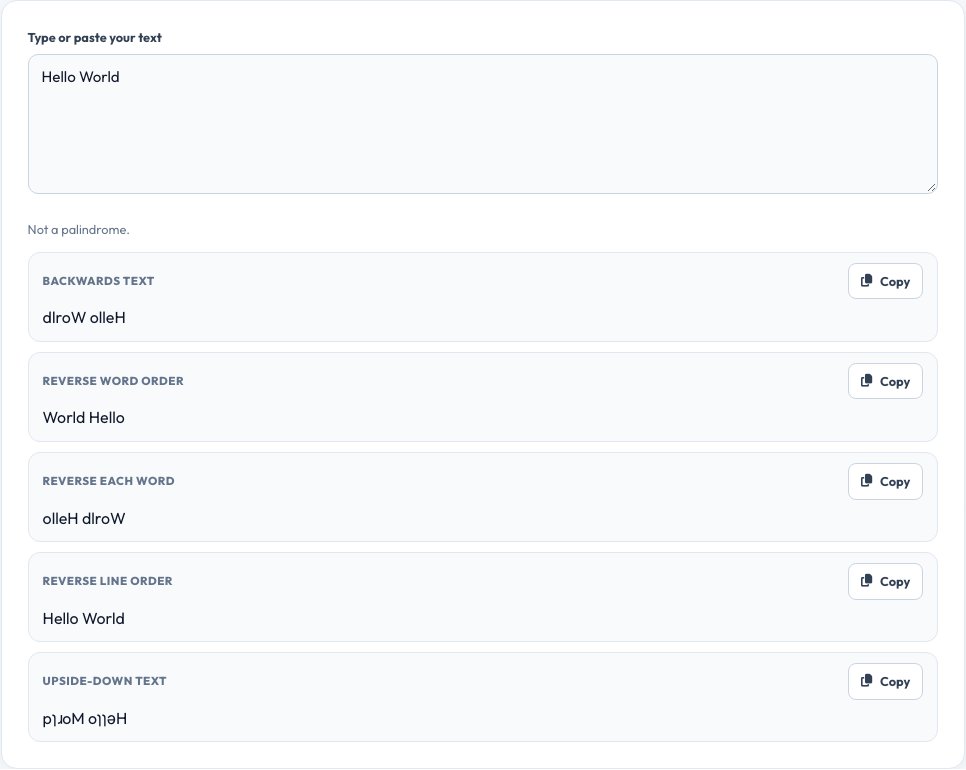
Free Text Reverser — Backwards, Reversed Words and Upside-Down Text
A text reverser flips text in several useful ways. It can spell a sentence backwards, reverse the order of the words, reverse each word in place, reverse the order of the lines, or flip the whole thing upside down using look-alike characters. All modes are shown at once, so you can copy exactly the version you need.
Reversing text is handy for puzzles and games, checking palindromes, quick string tests when programming, creating mirror-style social posts and playful messages. The tool works on any language that uses letters, keeps emoji and accented characters intact, and never sends your text anywhere.
Key features
Five modes at once
Backwards text, reversed words, each word reversed, reversed lines and upside-down.
Palindrome check
Instantly tells you whether your text reads the same backwards.
Unicode safe
Keeps accents and emoji together instead of breaking them apart.
Copy in one click
Copy any result straight to the clipboard.
How to use it
- Type or paste your text.
- Look at the five results shown underneath.
- Click Copy on the version you want.
- Paste it into your document, message or code.
Worked example
Example
Input:            Hello World
Backwards:        dlroW olleH
Reverse words:    World Hello
Each word:        olleH dlroW
Upside down:      pןɹoM oןןǝH
Who uses this tool
Students and puzzle fans
Create backwards riddles, ciphers and word-play challenges.
Developers
Quickly test string handling or check palindromes.
Social media users
Post playful mirrored or upside-down messages.
Tips for the best results
- Use “reverse each word” to keep sentence order but flip the spelling.
- Use “reverse lines” for lists you want in the opposite order.
- Check the palindrome badge to test words like “level” or “racecar”.
- Paste multi-line text — line breaks are preserved.
Common mistakes to avoid
- Expecting upside-down text to be readable everywhere; it uses special characters.
- Forgetting that spaces and punctuation are reversed too.
- Reversing very sensitive data — although nothing is uploaded, avoid pasting secrets in shared screens.
Why use AZRS QuickFix?
It is 100% free, needs no signup and has no watermark or usage limits. The tool runs in your browser, so what you type stays on your device, and it works on phones, tablets and desktops. New tools are added every week — bookmark this page or browse the full QuickFix toolbox.
Frequently asked questions
What is the difference between reversing text and reversing words?
Reversing text flips every character; reversing words keeps each word but reverses their order.
Can it flip text upside down?
Yes. It swaps letters for look-alike upside-down characters and reverses the order.
Does it work with emoji?
Yes. Characters are treated as whole units so emoji are not broken.
Is my text sent to a server?
No. Everything runs in your browser.
What is a palindrome?
A word or phrase that reads the same forwards and backwards, like “madam”.
Is there a length limit?
No fixed limit. Very large texts may take a moment on slow devices.