3D Model to GIF, PNG & Video Preview Maker (Turntable)
Turn an STL, OBJ, 3MF or STEP file into a transparent PNG, turntable GIF or video · free, no signup
See 3D Model to GIF, PNG & Video Preview Maker (Turntable) in action
Free 3D Model to GIF, PNG & Video Preview Maker
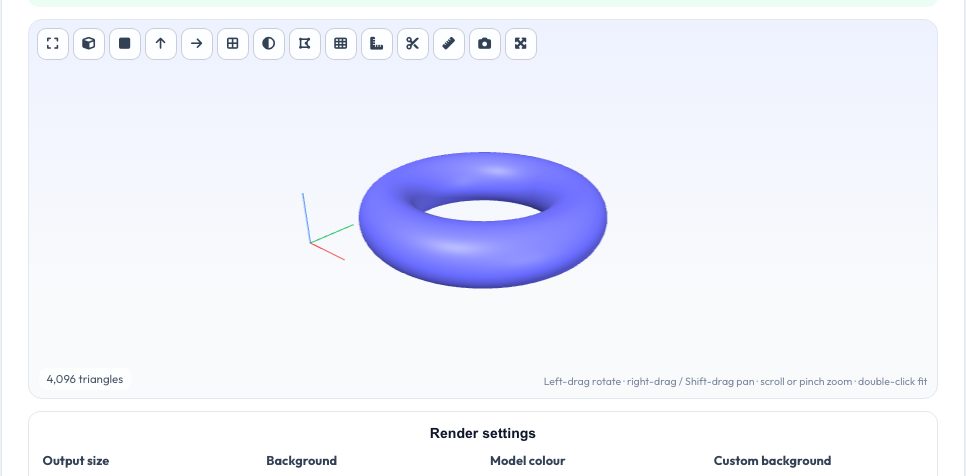
Sharing a 3D-printable model on Printables, Thingiverse, Etsy, Reddit or in a portfolio works much better with a clean preview picture, but a screenshot of a CAD window looks amateurish. Drop in an STL, OBJ, 3MF, PLY, GLB or STEP file, orbit to the angle you like, choose a model colour and a background (white, soft gradient, dark, a colour of your choice or fully transparent), and export a high-resolution PNG snapshot, a rotating turntable GIF, a WebM or MP4 video, or a zip of PNG frames for your own video editor.
Everything is rendered locally with WebGL: the file is never uploaded, there is no watermark and no account. The GIF encoder builds a shared 256-colour palette from all frames with optional ordered dithering, so flat backgrounds stay clean and shaded surfaces keep their gradients; a transparent-background GIF is supported too. Frame count, speed and resolution let you balance quality against file size for each platform.
Key features
Transparent PNG
Snapshot at up to 2× size with a see-through background for slides and shop listings.
Turntable GIF
24–90 frames, adjustable speed, camera height and direction, with dithering.
Video export
Records a smooth 6-second spin as WebM or MP4 depending on what your browser supports.
Private
Rendering happens on your device; nothing is uploaded.
How to use it
- Drop in your model and orbit it to a good angle.
- Pick the model colour, background and output size.
- Choose PNG snapshot, GIF, video or PNG frames.
- Download the result.
Worked example
Example
A 40 mm gear STL rendered at 640 × 480 with a white background, 36 frames at 20 fps gives a GIF that loops in 1.8 seconds and is typically a few hundred kilobytes — a good size for forum posts and Reddit.
Who uses this tool
Makers and designers
Cover images for Printables, Thingiverse, MakerWorld and Cults.
Etsy and Shopify sellers
Product shots of 3D-printed items without a photo studio.
Students and engineers
Animated previews for reports, slides and portfolios.
Tips for the best results
- Use a flat background for the smallest GIFs; gradients add colours and size.
- Raise the camera height to 30–45° so the top surfaces are visible.
- For sharper edges choose a larger size and let the platform downscale.
- Use the PNG frames zip when you want to edit the animation in a video editor.
Common mistakes to avoid
- Choosing 90 frames at 1080 px for a GIF and getting a very large file.
- Forgetting that GIF transparency is on/off only — edges look jagged on dark pages.
- Expecting textures: models are shown as plain coloured solids.
Why use AZRS QuickFix?
It is 100% free, needs no signup and has no watermark or usage limits. The tool runs in your browser, so what you type stays on your device, and it works on phones, tablets and desktops. New tools are added every week — bookmark this page or browse the full QuickFix toolbox.
Frequently asked questions
What formats can I open?
STL, OBJ, 3MF, PLY, OFF, AMF, GLB/glTF, FBX, 3DS, STEP and IGES.
Why is my GIF big?
GIFs store every frame; reduce frames, size or turn off dithering.
Does video work on iPhone?
Safari records MP4; other browsers record WebM.
Is it private?
Yes — nothing leaves your device.