Laser & CNC Nesting Tool — Pack Parts onto Sheets (SVG/DXF)
Pack the parts in a DXF or SVG onto sheets of your size with quantities, spacing and rotation · free, no signup
See Laser & CNC Nesting Tool — Pack Parts onto Sheets (SVG/DXF) in action
Free Online Nesting Tool for Laser and CNC Cutting
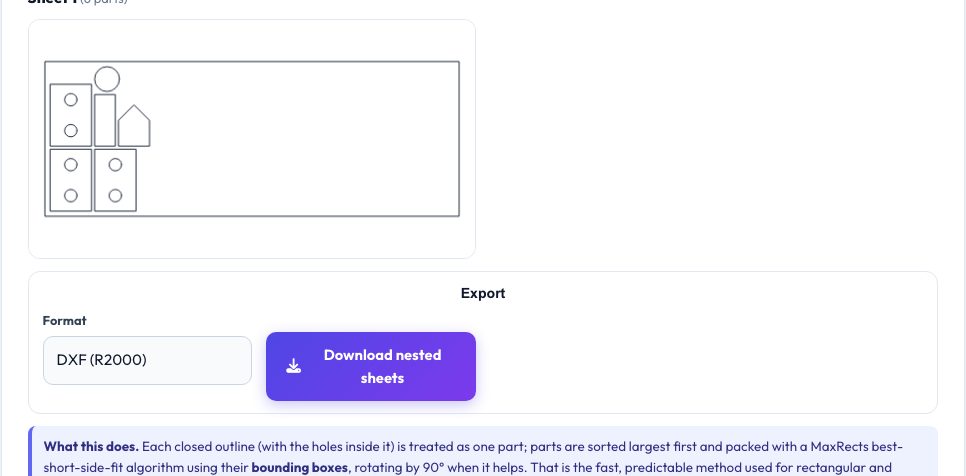
Cutting ten copies of a part from one sheet of plywood is a puzzle: waste money on a second sheet, or spend an hour arranging by hand. This tool reads a DXF or SVG, finds each closed outline with the holes inside it as a separate part, lets you set a quantity for each, and packs them onto sheets of the size you enter using a MaxRects best-short-side-fit algorithm with optional 90° rotation.
You see every sheet with its parts, the sheets needed and the material use, then export all sheets side by side as DXF or SVG. Packing uses bounding boxes, which is fast and predictable for rectangular and compact parts.
Key features
Per-part quantities
Set how many of each part you need.
Spacing & margin
Kerf-safe gaps and edge margin.
Rotation
Allow 90° turns for tighter fits.
Multi-sheet
Starts new sheets automatically.
How to use it
- Drop in your parts file.
- Set quantities for each part.
- Enter sheet size, spacing and margin.
- Nest and export.
Worked example
Example
Eight 50 × 30 mm parts with 3 mm spacing fit on a 200 × 100 mm sheet with some space left; a ninth part opens a second sheet.
Who uses this tool
Laser cutter users
Save material on every sheet.
CNC router users
Layout for plywood and MDF.
Small businesses
Estimate sheets per order.
Hobbyists
Fit many parts quickly.
Tips for the best results
- Use a spacing of at least the kerf plus 1 mm.
- Rotate parts that have no grain direction.
- Combine several small parts into one file.
- Check the exported file in your CAM software.
Common mistakes to avoid
- Putting text or open paths in the source — they are ignored.
- Setting spacing too small for the cutter.
- Expecting shape interlocking: this is bounding-box nesting.
Why use AZRS QuickFix?
It is 100% free, needs no signup and has no watermark or usage limits. The tool runs in your browser, so what you type stays on your device, and it works on phones, tablets and desktops. New tools are added every week — bookmark this page or browse the full QuickFix toolbox.
Frequently asked questions
Is it true-shape nesting?
No, it uses bounding boxes, which is faster but less efficient for odd shapes.
What file types?
DXF and SVG.
Can parts rotate?
Yes, 90° only.
Is anything uploaded?
No.