Handwriting Practice Sheet Generator
Create printable dotted-line handwriting practice sheets for any text · free, no signup
See Handwriting Practice Sheet Generator in action
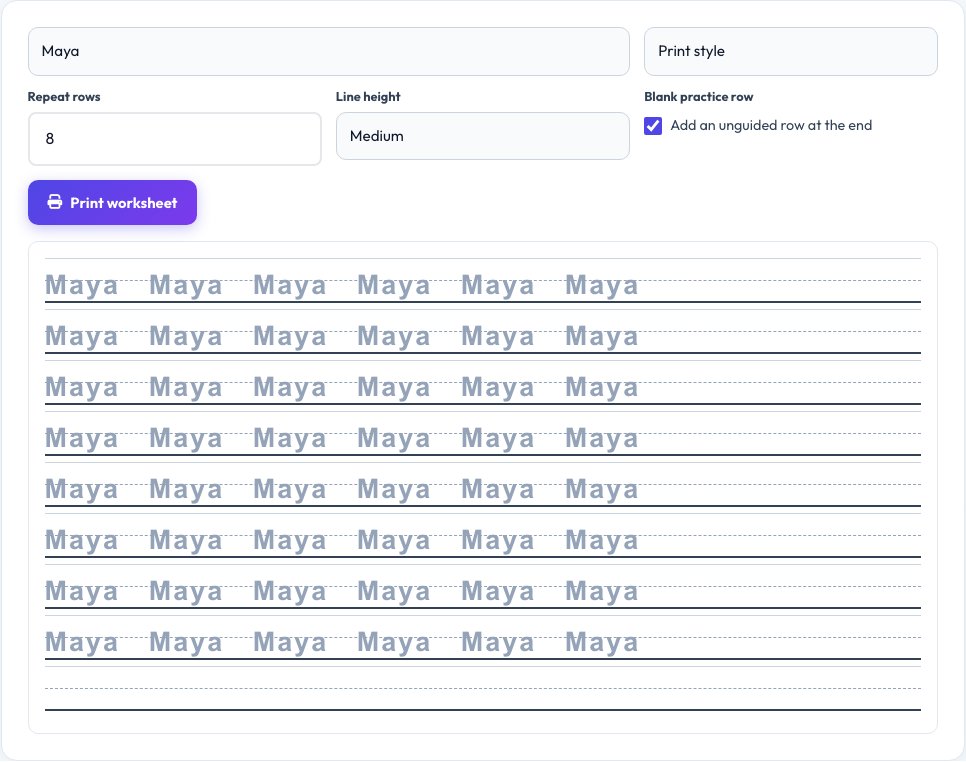
Free Handwriting Practice Sheet Generator
Type letters, a name, spelling words or a full sentence, and this tool builds a printable worksheet with dotted guide lines and repeated practice rows — the same style used in schools for handwriting and name-tracing practice. Choose ruled lines sized for younger children or adults, and print or cursive-style letter guides.
Set how many times each line repeats down the page, add a blank practice row at the end with no guide dots, and print directly from the browser. It is useful for early handwriting practice, name tracing for young children, improving adult handwriting, or practising a new alphabet or language's letterforms.
Key features
Any text
Letters, words, names or full sentences.
Print or cursive guides
Dotted trace lines in either style.
Adjustable line size
Sized for young children or older students.
Print-ready
One click to print a clean worksheet.
How to use it
- Type the letters, words or sentence to practise.
- Choose print or cursive style and line size.
- Set how many repeat rows you want.
- Print the worksheet.
Worked example
Example
Name “Maya” × 8 rows, large ruled lines, print style → a printable name-tracing worksheet for early practice.
Who uses this tool
Parents and teachers
Make name-tracing and handwriting sheets for young children.
Homeschoolers
Custom practice sheets for any word list or lesson.
Adults improving handwriting
Print repeat-practice sheets for cursive or print style.
Tips for the best results
- Start with larger ruled lines for younger children, then reduce the size as handwriting improves.
- Practise a small set of letters or words repeatedly rather than a whole sentence at once for beginners.
- Print a blank practice row at the end so the learner can try without dotted guides.
- Use consistent daily short sessions rather than one long one for the best improvement.
Common mistakes to avoid
- Making the text too small or the lines too narrow for a beginner.
- Practising too many new letters at once instead of a focused, repeated set.
- Skipping the blank unguided row, which is where real progress shows.
Why use AZRS QuickFix?
It is 100% free, needs no signup and has no watermark or usage limits. The tool runs in your browser, so what you type stays on your device, and it works on phones, tablets and desktops. New tools are added every week — bookmark this page or browse the full QuickFix toolbox.
Frequently asked questions
Can I make a worksheet for my child's name?
Yes, type the name and set several repeat rows for tracing practice.
Does it support cursive style?
Yes, choose cursive or print-style dotted letter guides.
Can I print it directly?
Yes, use the print button for a clean, ink-friendly worksheet layout.
Is there a sentence length limit?
Longer text wraps onto more lines automatically; very long sentences may need a few pages.
Is my child's name stored anywhere?
No, nothing typed here is saved or sent anywhere — it exists only while the page is open.
Can I use it for practising a language other than English?
It works with any text your browser can render in the chosen font, though letterform accuracy depends on the font's language support.