Typing Speed Test
Test your typing speed (WPM) and accuracy with 12,000+ sentences · free, no signup
Options — simple text, stop on error, blind, ghost pacer, sounds, dark mode, text size
| When | Mode | WPM | Acc |
|---|
See Typing Speed Test in action
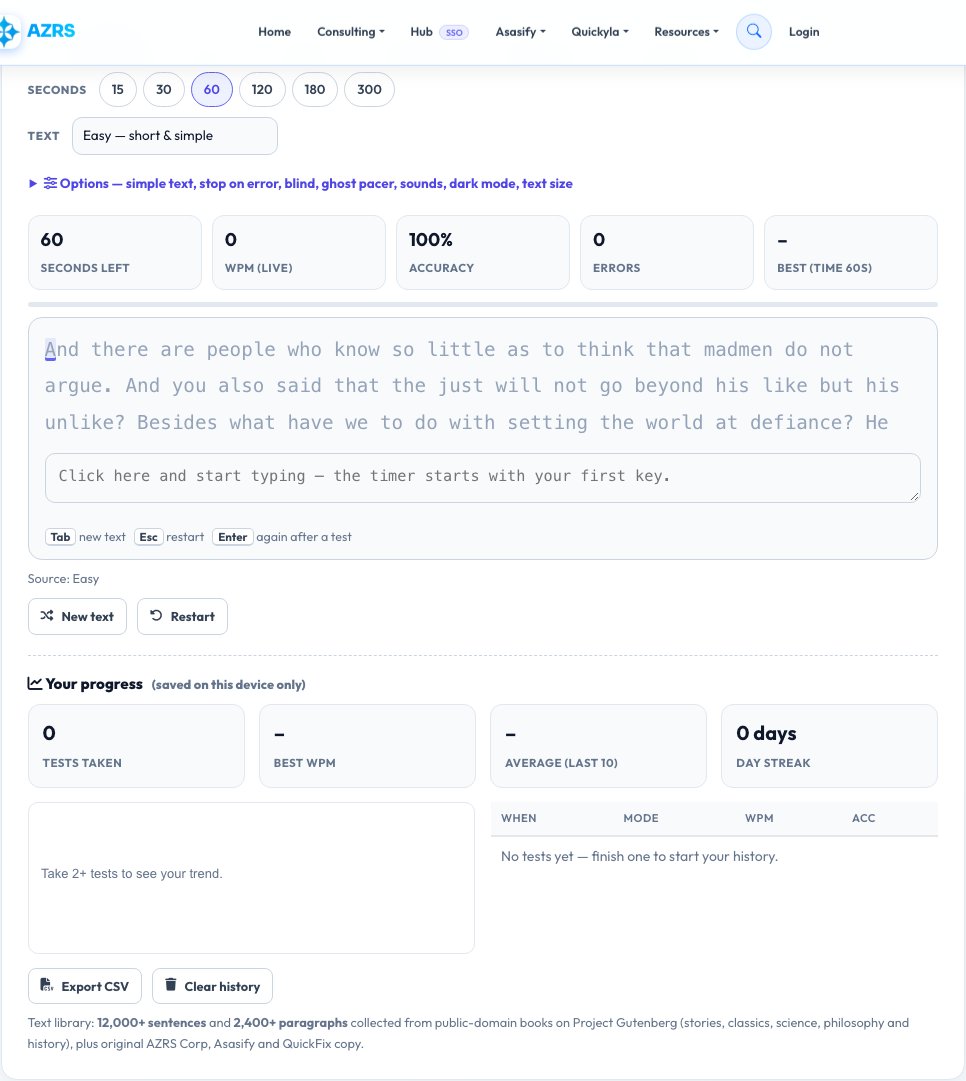
Free Typing Speed Test — Measure Your WPM, Accuracy and Consistency
Typing speed is measured in words per minute (WPM), where a “word” is standardised as five characters. The average person types around 40 WPM, professional typists reach 65–75 WPM, and competitive typists exceed 120. This test measures your speed and accuracy on real sentences and paragraphs, with a live timer, a live WPM counter and a detailed result screen.
The text library holds more than 12,000 sentences and 2,400 paragraphs collected from public-domain books on Project Gutenberg — stories and fables, classic literature, science and nature, philosophy and history — plus original passages about AZRS Corp, Asasify, AsasifyTax, Quickyla and QuickFix, code snippets, numbers-and-symbols text and random common words. Choose a time test (15 to 300 seconds), a word-count test, a single sentence, a full paragraph, a key-practice drill or paste your own text. When you finish you get net WPM, raw WPM, accuracy, consistency, a speed-over-time chart, the keys you missed and your slowest keys, and your results are saved on this device.
Key features
Six test modes
Time, Words, Sentence, Paragraph, Key practice and Custom text (paste or upload your own .txt).
12,000+ sentences, 2,400+ paragraphs
Fresh text every test from stories, classics, science, wisdom, history, code and AZRS Corp copy.
Deep statistics
Net and raw WPM, accuracy, consistency, characters per minute, missed keys, slowest keys and a WPM chart.
Practice drills
Home row, top row, bottom row, left or right hand, capitals, numbers, common letter pairs and pangrams.
Challenge options
Ghost pacer, stop-on-error, blind mode, no-backspace, simple text, punctuation and numbers.
Progress tracking
Personal bests per mode, last-10 average, day streak, trend chart, CSV export and a downloadable PNG certificate.
How to use it
- Pick a mode (Time, Words, Sentence, Paragraph, Key practice or Custom) and its length.
- Choose a text source such as Stories, Science or AZRS Corp, and open Options for extras like the ghost pacer.
- Click the text and start typing — the timer starts with your first key. Press Tab for new text or Esc to restart.
- Review your WPM, accuracy, chart and problem keys, then try again to beat your personal best.
Worked example
Example
Mode: Time 60 s   Text: Stories & fables
Characters typed: 312   Mistakes: 4   Uncorrected: 1
Net speed: 61 WPM   Raw: 63 WPM   Accuracy: 98.7%   Consistency: 82%
Most missed keys: p (2), q (1)   Level: Office pro
Who uses this tool
Students and job seekers
Prove and improve the typing speed that many jobs require.
Programmers and writers
Use code snippets, symbols and long paragraphs to build fluency and cut fatigue.
Parents and teachers
Track a child’s progress with drills, streaks and a printable certificate.
Tips for the best results
- Accuracy first — speed follows naturally once you stop making errors.
- Keep your eyes on the text, not the keyboard.
- Use the key-practice drills for the letters that appear in your missed-keys list.
- Practise for 10–15 minutes daily rather than one long session.
Common mistakes to avoid
- Rushing and hitting errors that cost more time than they save.
- Looking down at the keys, which caps your speed.
- Comparing scores across different tests; passages differ in difficulty, so compare within the same mode.
Why use AZRS QuickFix?
It is 100% free, needs no signup and has no watermark or usage limits. The tool runs in your browser, so what you type stays on your device, and it works on phones, tablets and desktops. New tools are added every week — bookmark this page or browse the full QuickFix toolbox.
Frequently asked questions
What is a good typing speed?
40 WPM is average, 60–70 WPM is good for office work, and 80+ WPM is excellent.
What is net WPM?
Your speed after subtracting errors; raw WPM counts every keystroke.
How is accuracy calculated?
Correct keystrokes divided by total keystrokes, as a percentage. Mistakes you correct with Backspace still count.
What is consistency?
How steady your speed was from second to second. 100% means a perfectly even pace.
Where does the text come from?
Public-domain books from Project Gutenberg, code snippets, and original text written for AZRS Corp, Asasify and QuickFix.
Can I practise my own text?
Yes. Use Custom text mode to paste text or load a .txt file of up to 5,000 characters.
Is my best score saved?
Yes, in your own browser. Clearing site data resets it. You can export your history as CSV.
Does it work on mobile?
It works, but a physical keyboard gives the most meaningful result.
Is the typing test free?
Yes, completely free with no signup.